
Understanding Various Computer Science Concepts (For N00bz)
September 21, 2026 5:27 pmDon’t let computers turn you into the guy in the banner. Learning these concepts DO NOT have to be hard or super time consuming. All you need to do is relate it to things you already understand. Clear your mind and simplify.
Below are a bunch of computer science concepts that you may be struggling with explained.
HTML Elements
Elements are like objects – Imagine all the things around you IRL imagine them all, as elements. When you look around at the world around you all of these elements have names. Chair, table, phone, computer, car, tv and so on. you remember all of their names because over the span of your life, you have been hearing these designations over and over. Reinforcing them in your brain.
Imagine you are sitting in your room:

If the world around you was on a screen you could have an HTML kind of hierarchy. The immediate room
around you could look something like:
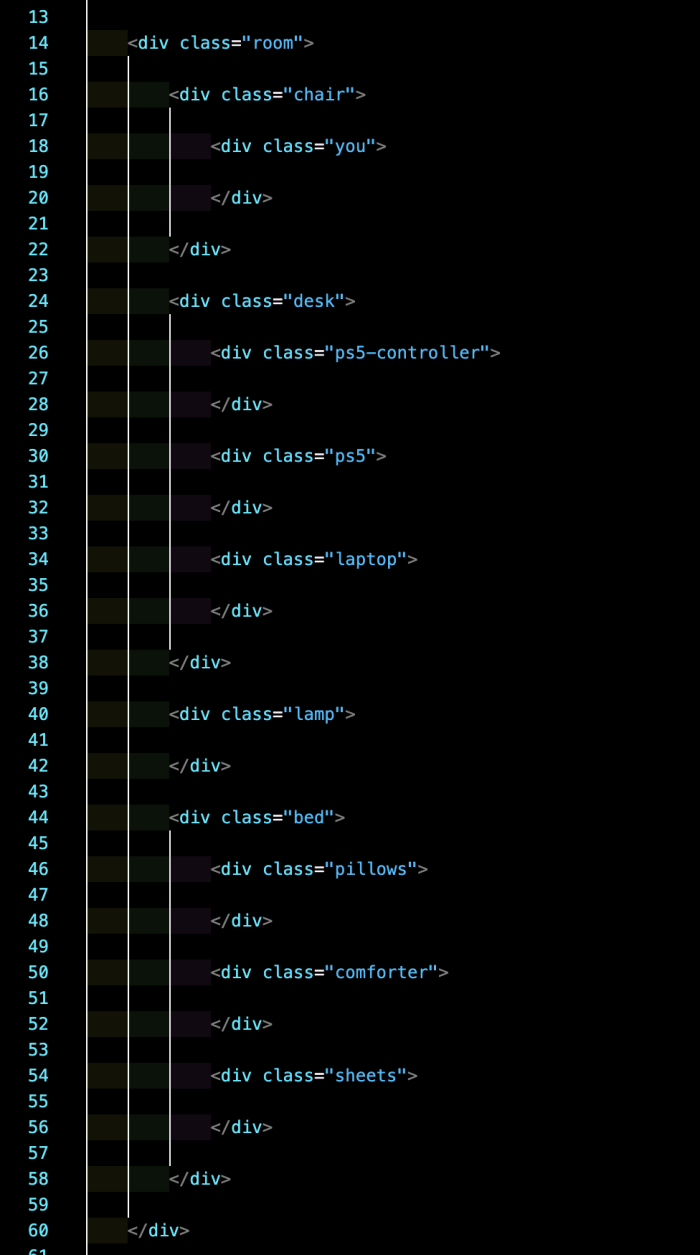
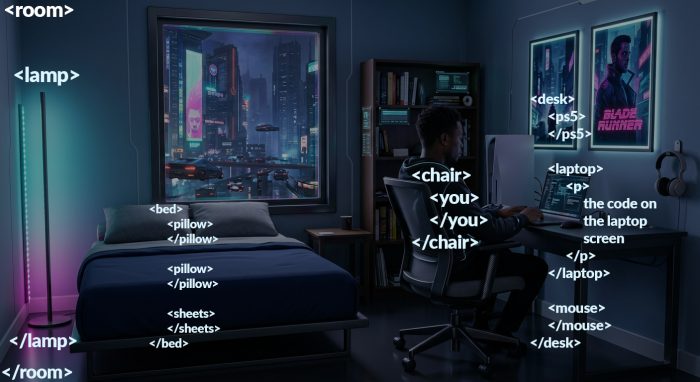
The room is the biggest element (if we only wrote the room IE did not include the elements bigger then the room like the building the room is in and so on) Everything else is indented within the room, because it is literally inside the room.
The lamp, bed, chair, desk are all siblings directly inside the room.
The 2 pillows and sheets would be siblings in the bed tags.
You would be a child element in the chair (because you are sitting on the chair).
The PS5, laptop and the computer mouse are all siblings in the desk because they are on the desk.
This is how you can start to understand HTML.
Anytime you see anything in side of <> brackets you know that it is some sort of element, if you don’t know exactly what that element is, simply google it. Most elements have an opening and closing tag and the contents is tabbed in and wrote inside the opening and closing tag.
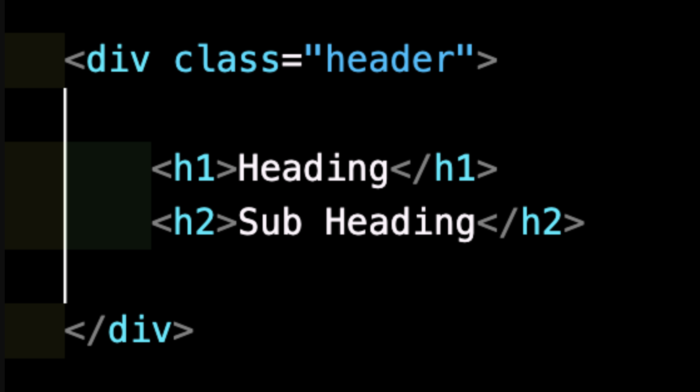
In the case above there is a div (division tag, which is a general purpose container that can be used to put anything in). Inside it there is a heading and sub heading. Any time there is text content, that goes in between the opening and closing tags like in the case above. Both the h1 and h2 have content in them as you can see the white text “Heading” and “Sub Heading” are both plain text that will show up on the front end of the web page.
Indentation
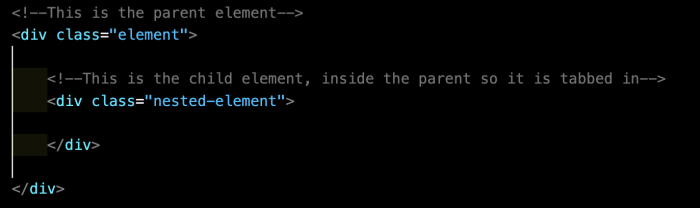
Now that you understand the hierarchy of the HTML elements IE the parent child relation of nested elements. Remember to always indent the HTML so if you make an element and put another element within it, the child element should be tabbed in:
HTML Attributes
Are exactly what they are IRL, what is an attribute IRL? it describes more about a thing.
Imagine a phone…
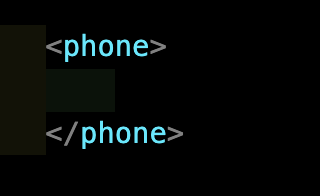
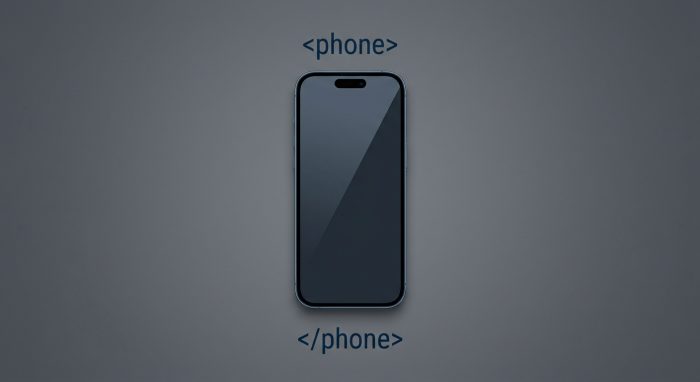
On its own, it is pretty vague. What kind of phone is it? What model is it? There are billions of phones in the world so we need more information about it to know what it is:

This same idea is how we use real HTML attributes. For example. A div (which is basically like an all purpose block element container that can be used to put anything in, like structure, content, whatever) on its own is pretty vague but we can add more to it to know what it is:
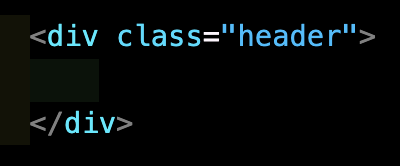
Now we know the div is a header element! We could add more attributes to it if we needed.
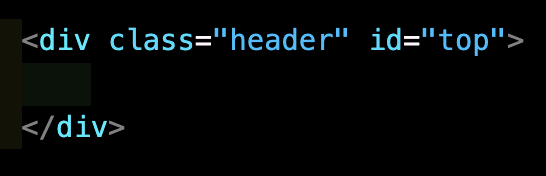
We could also write the header semantically:
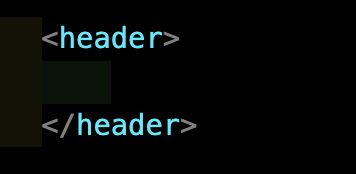
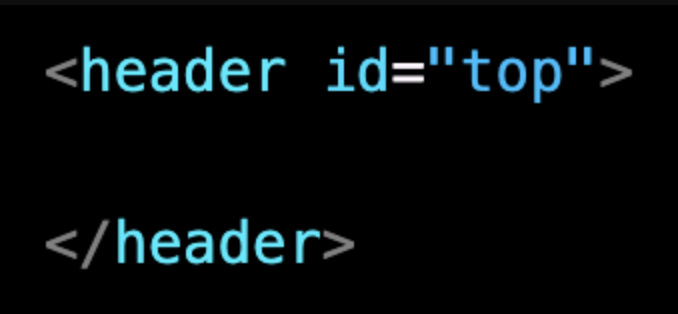
Semantic elements can have classes, ids and other attributes too.
File Systems
File systems also mimic nature.
We can imagine that we live in a file system in the Matrix.
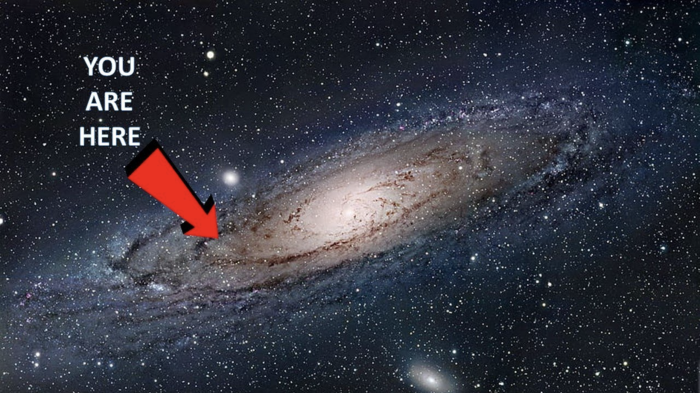
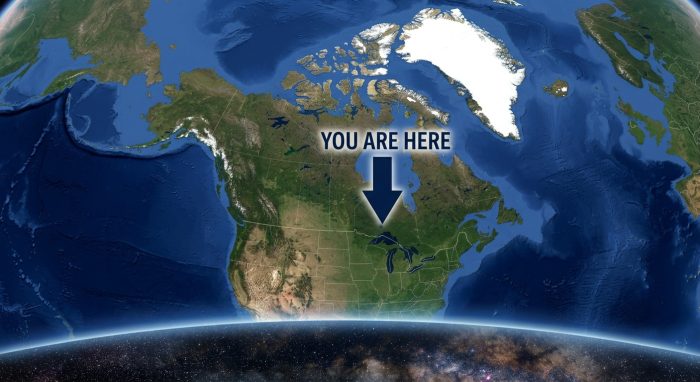
The galaxy (analogous to your hard drive) is a folder full of nested folders.
The Root folder (/ on a linux, unix, mac computer) (C:\ on a PC)
Like the image below the entire galaxy.
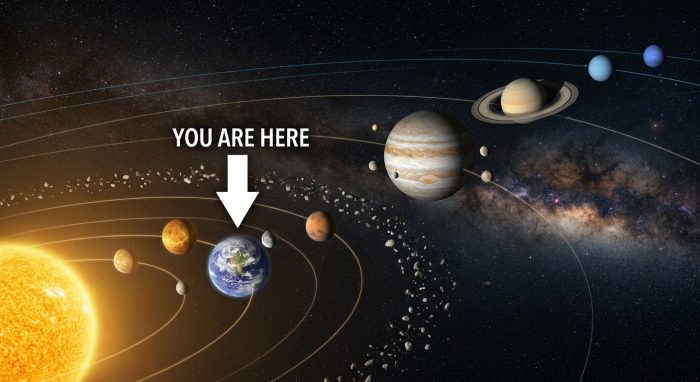
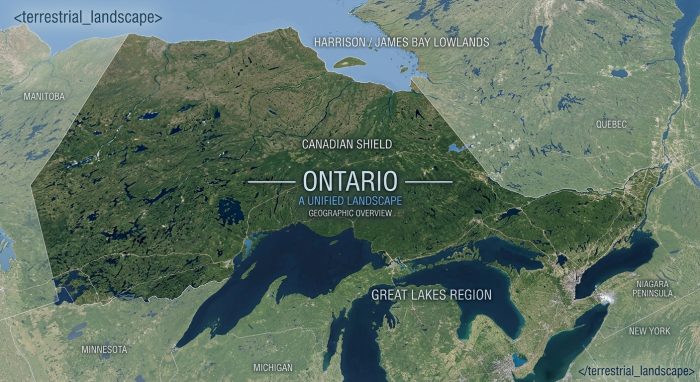
The main folders directly in side of the root folder:
Like the image below our solar system (Each planet being one of the main folders)
On a MAC or a Linux machine:
- /bin: Essential command binaries (programs) for all users.
- /boot: Boot loader files and kernel images.
- /dev: Device files for hardware components and peripherals.
- /etc: System-wide configuration files.
- /home: Personal directories for regular users.
- /lib: Essential shared libraries and kernel modules.
- /media: Mount points for removable media like USB drives.
- /mnt: Temporary mount points for mounting file systems.
- /opt: Optional application software packages.
- /proc: Virtual file system providing process and kernel information.
- /root: Home directory for the root (administrative) user.
- /run: Variable runtime data since the last boot.
- /sbin: Essential system binaries for administration.
- /srv: Data for services provided by the system.
- /sys: Virtual file system representing system hardware and devices.
- /tmp: Temporary files created by the system and users.
- /usr: Secondary hierarchy for user data, applications, and utilities.
- /var: Variable data files like logs, databases, and mail queues.
On a PC:
\Program Files: Stores 64-bit applications and software installed on the computer.\Program Files (x86): Stores 32-bit applications (only present on 64-bit versions of Windows).\Users: Contains the personal profiles, documents, downloads, and desktop files for every user account.\Windows: The core operating system folder containing system files, drivers, and the registry.\ProgramData: A hidden folder used by applications to store settings and data common to all users.\PerfLogs: Short for Performance Logs; stores system issues and performance reports.\$Recycle.Bin: A hidden system folder that acts as the Recycle Bin for that specific drive.\Recovery: A hidden folder containing tools to restore the system if it fails to boot.
Smaller sub folders
like whats in side the user folder for example, like individual countries. Like the user’s folder for example.
Even smaller sub folders
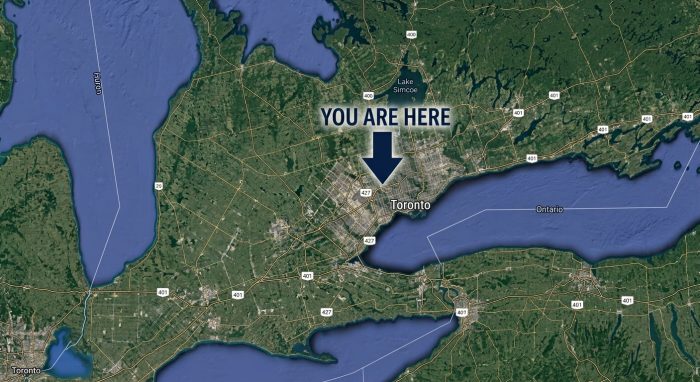
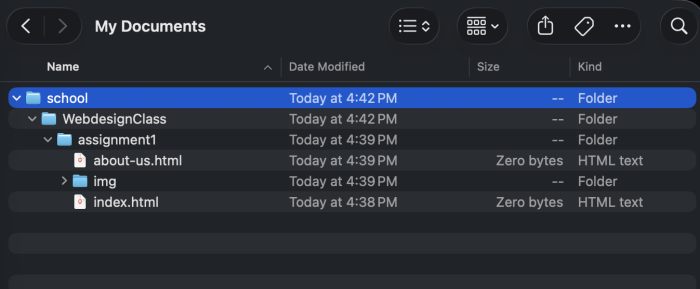
like the “My Documents” folder that has more sub folders in it.
And even smaller sub folders
like being in a city that is in a state. Like the “school” folder in the “My Documents” folder that you should have made to stay organized! 😝
Singular Individual files.
Like index.html
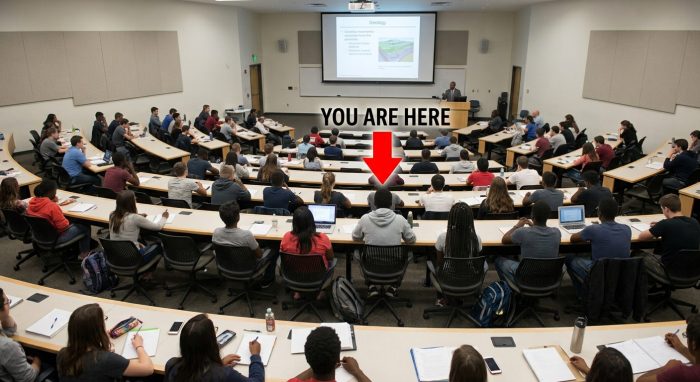
The universe > The local Galactic cluster our galaxy is in> The milky Way (our galaxy) > The spiral arm we are in >Sol (our star the Sun and its orbiting bodies) > Earth >The country you are in now > The State / province you are in now > the City or town you are in now > The Neighbourhood you are in now > the building you are in now > The room you are in now > The body you are controlling.
Kind of like:
Your entire hard drive > The immediate sub folders on the hard drive > The folders in those smaller folders > Smaller sub folders > Smaller sub folders > Individual files within and so on.
The Internet
Just like the analogy used above, the same one applies here!
Internet (The ENTIRETY of every machine on earth (and off earth) that human beings and robots have created that is able to connect to the internet. All machines interconnected). (the internet is like a universe in and of itself…)
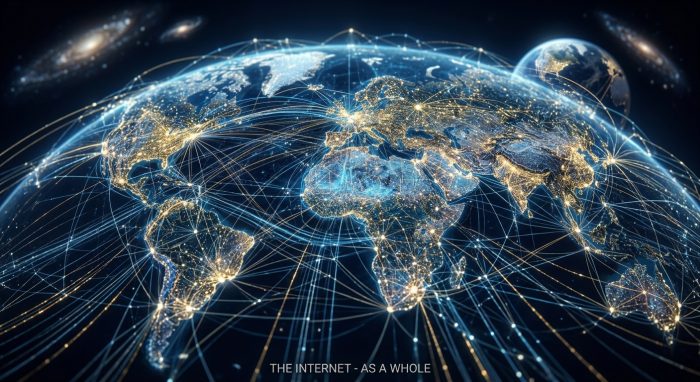
Some ISP in a country

Your home Network
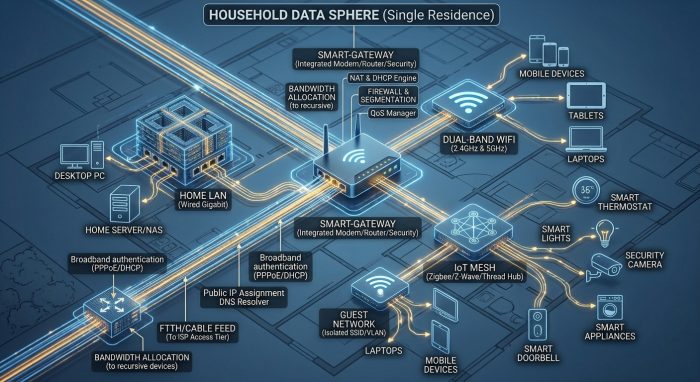
Your Computer
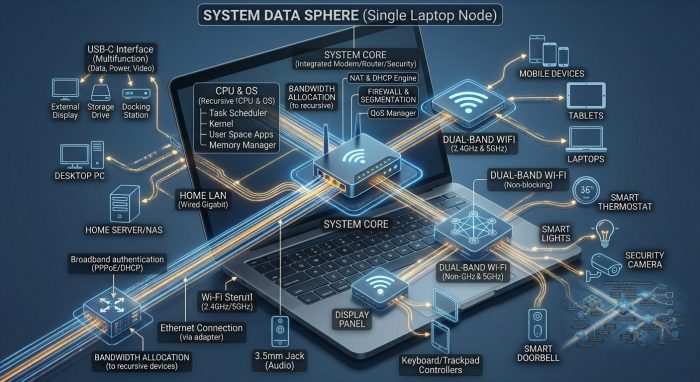
The internet (all the machines) > Your ISP > The network you are currently on > Your Computer > The HD > Your User Account > Your Documents > Sub Folders & Files.
Back to Files…
With this said, also think in terms of relativity. In other words. when we go on about life we never really think in relation to the whole universe, we zoom in to what it relative to us. So at the biggest scale we think and relate to the Earth but usually even smaller, the country, state, city and neighbourhoods we are in.
The same with computers. Imagine, you have: My documents > a folder for School > A folder for this particular class > A folder for assignment 1 > the associated files for that assignment (IE index.html, about-us.html and an img folder for pictures).
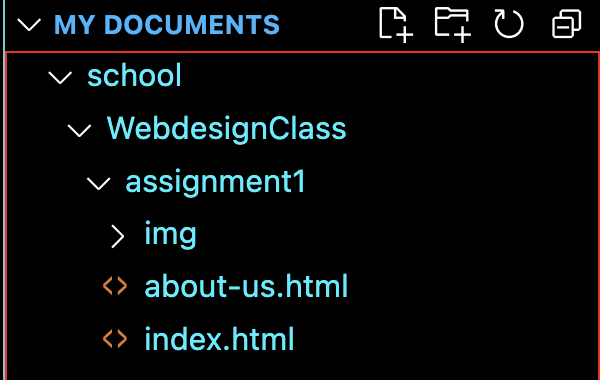
And when you hand in a project you have to zip the assignment folder and hand that in:
Right click on the assignment folder and hit compress “Folder Name”.
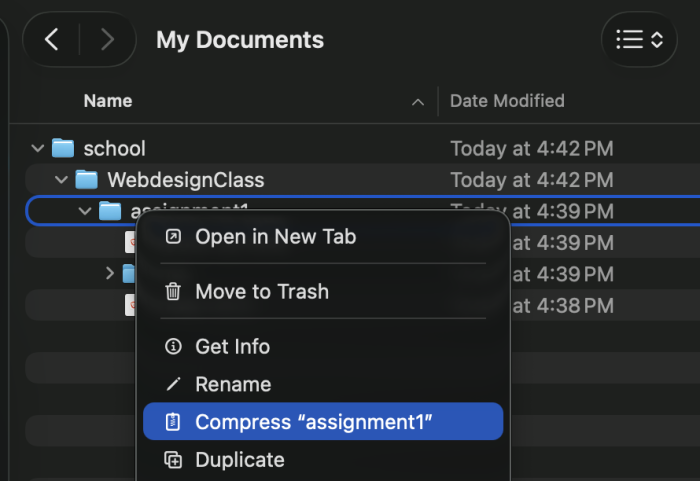
If you are on a PC Right click on the project folder and hit “add to archive”.
File Types
Every animal on Earth has a species type, which is determined by genetics, which determines traits the animal has.
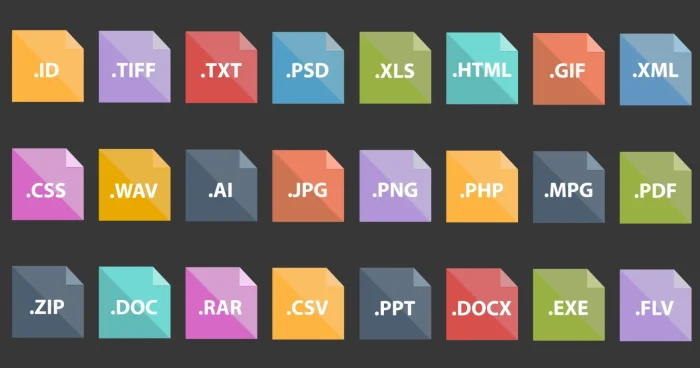
Every file saved on any computer also has a type and an extension that corresponds. This determines what the file can do/whats in it and what programs can run it/read it/edit it.
The extension is what you see after the file name like:
.exe (An executable file on a PC)
.html (An HTML file that shows a web page)
.css (A CSS file that controls how a web page looks)
.js (A Javascript file that controls the mechanics of a web page/how the page is programmed)
.py (A Python file)
.txt (A plain text file)
.rtf (A rich text format file, which is like an enhanced txt file)
.psd (A file from photo shop)
.zip (A zipped file)
and so on…
Zipped Files
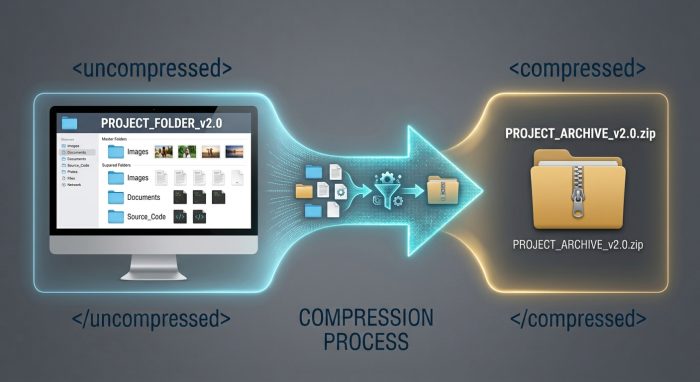
What’s a zipped file anyway!? Technically, all it is, is an archive that contains one or more files that are compressed into 1 file using the DEFLATE compression algorithm and the PKWARE file format specs. In other words. It allows you to take 1 or more files, compress them down into 1 file that is smaller in size so you can later decompress it and have the same file structure it had before it was compressed. This allows you to more efficiently send that file to others, rather then having to send a bunch of individual files which would be a pain!
Surfing the Web, addresses on the web & Links
When you go to a website, all you are doing is accessing files on another computer. Usually a .html file that gets some help from a .css file and a .js file.
- html is the structure and content
- css files define how the html file looks
- js files control the mechanics of said html file (and can control css too)
And you navigate the web by going to addresses. Web Addresses like http://anthonymaximus.com and when you arrive there you automatically get served the index.html file that is stored on the hosting server’s hard drive.
With that said, you need to understand how links work and it is easy to relate to, it is a concept you already understand…
Absolute links
An absolute address on the web is like an address in real life.
123 Fake St
Toronto Ontario Canada
M5A-1V4
The above address tells you coordinates that point directly to a place in 3d space that can be found from anywhere on Earth.
Just like:
The URL
The anchor tag link
<a href=”https://anthonymaximus.com”>Click here</a>
The above address tells you coordinates that point directly to a place in 2d space (technically it is network space) that can be found from anywhere in that 2d land / global digital network space.
Relative Links
Imagine you are walking out the corner store. Some car stops and says they are lost. They ask for directions to get to the mall.
You say:
Drive out of the parking lot and turn left onto the road there.
Keep going straight past the 1st and second light.
At the third light turn right.
After you pass 3 intersections the mall will be on the left hand side you cant miss it!
You just gave that person a relative direction. Why? Because the directions you gave ONLY work from where you gave them. If you gave the same directions from 2 streets over in any direction they would not work anymore.
This is how relative links work. They tell a file the location of another file, from the location of the file you gave the directions.
Like:
<a href=”index.html”>Home</a>
Which points to a file in the same folder as the file it is being pointed from.
or
<link href=”css/style.css” rel=”stylesheet” type=”text/css”>
Which points to a file that is located in a folder named css which is in the same folder as the file its being pointed from. (IE the CSS folder is right beside the file its being pointed from)
or
<script src=”scripts/js/frontend/main.js”></script>
Which points to a file that is in a folder named scripts (scripts folder is beside the file its being pointed from) and has a sub folder named js which has a sub folder named frontend which contains the file point pointed at.
or
<img src=”img/gallery-images/main-course-dishes/ackee-saltfish.jpg” alt=”ackee & saltfish”>
Which points to a file that is located in the img folder which has a sub folder in it named galler-images which has another sub folder named main-course-dishes, this is where the file is located.
All of the above examples are pointing to a file by way of the files location in relation to the file it is being pointed from 😵💫.
CSS
All CSS is, is a script that we use to control the way elements look on the HTML page. We can target things in the HTML from the CSS.
/* The below selector targets the entire html tag so things we put on here can and will be passed down to children just like how you inherited traits from mom, dad, grand parents and so on */
html {
}
/* Similar to the HTML element */
body {
}
/* This targets ALL instances of div */
div {
}
/* This targets all instances of paragraph text */
p {
}
/* This targets ONLY elements that have the class name of “classname” on them. So if only one has it it will only target that one. If multiple elements had the class of “classname” it will target all of them */
.classname {
}
/* This targets ONLY elements that have the class name of “idname” on them. So if only one has it it will only target that one. If multiple elements had the class of “idname” it will target all of them */
#idname {
}
To target a class you have to put a . in front of the class name.
To target an ID you have to put a # in front of the id name.
Variables (general programming / JS & CSS)
Technically ALL words, more specifically nouns are variables technically speaking. The word “Car” is not a car, it REPRESENTS an object we designate as “car”.
Variables are similar. They REPRESENT something else so we can reuse and deploy that actual thing easily. We can refer to that particular thing as many times as we need to, wherever we need to without writing that thing again over and over. (we can make variables in CSS too).
const loginBox = document.querySelector(‘.login-box’);
The above JS code takes the element with the class (.) of login-box and inserts it into a constant variable of loginBox which can be used easily in the JS. It’s a const so it cant be changed.
let age = 29;
The above JS simply loads a number (29) into a variable of age. It is let so it can be changed (as ages do).
:root {
–bgCol: #222;
}
The above CSS loads a color into a variable named –bgCol and because it is located in the :root selector, it can be used anywhere on the page in any element.
Functions
Think of a function as an automated block of code that can execute on command whenever you want. It is relatable because it also mimics nature. When you eat food, your body executes a function which is the digestion process. This function is an automated process that your brain does not even need to think about. It just happens as it is hard coded into every animal genetically as a function:
let food = "Ox Tail";

function digestFood() {
    let foodEaten = food;
    console.log(`You ate ${foodEaten}`);

    let caloriesGained = 700;
    let energyGained = caloriesGained * 3;

    // Confirm energy gained, allowing the life form to use that energy which converts into work
    console.log(`Energy gained: ${energyGained} Joules`);
}

digestFood(); //This trigger would be you eating the food that would trigger the function above automatically
In the example above, there is a variable which is food. Which is let because the food source can and does change. We don’t ONLY eat ox tail, its too expensive 🤣 and eating only that would get boring!
Next.
The function digestFood() exists as an automated block of code that is always there, waiting to be triggered. That function:
– Has a variable in it that declares the food that has been eaten be equal to “food” which is a variable that exists out side of the function. Just like how food exists out side your belly. Also, the food can change, today it can be ox-tail, tomorrow it can be ackee and salt fish. Whatever is in that variable it does not matter, it is getting digested.
– A console log. Rather, a confirmation is given that you are the food. (IRL you get a hit of dopamine when you eat).
– The food is converted into energy.
– The energy gained, you can feel it, you feel alert and feel the strength in your body, allowing you to do things.
Under the function, the trigger which IRL just happens when you begin eating or just before you begin eating technically.
This is how functions work. We can just make automated functions that trigger when we want, it can run instantly, it can be when a button is pressed, when something is hovered over, after a certain amount of time, it could run a certain amount of times and then stop whenever it needs to, it can be passed to another function and be ran when that other function triggers it, and more.
So with that understood. Let us look at a simple JS example:
<!--Some style tags below so we can imbed some CSS in the HTML-->

<style>

/* Simple styling of the box, 200px by 200px, resting color is black, anythng it does will animate over .3s */
.box{
    width: 200px;
    height: 200px;
    background-color: #000;
    transition: .3s all ease;
}

</style>

<!--A simple button element with plain text in it wrapped in p tags-->
<button class="press-the-btn">
    <p>This is a button</p>
</button>

<br>

<!-- The div element we use to make a box -->
<div class="box">

</div>

<!--Script tags below so we can imbed some JS in the HTML-->
<script>

const btn = document.querySelector('.press-the-btn'); //Grab the button with the class of "press-the-button" ~ Throw it in a non changeable variable named btn
let box = document.querySelector('.box'); //Grab the element with the class of "box" ~ Throw it in a changeable variable named box

async function activateBtn() { //We make the function, its name is activateBtn and it is asynchronous. All this means is that there is some aspect to the function that waits on external factors. (In this case the time out)
    box.style.backgroundColor='red'; // When the function runs it will style the background color of the box
    console.log('You clicked the box!'); // It will give a confirmation message in the console
    await new Promise(resolve=>setTimeout(resolve, 5000)); // It will wait 5 seconds
    box.style.backgroundColor='black'; // After 5 seconds it will turn the background color black again
}

btn.addEventListener('click', activateBtn); // There is an event listener that waits and listens for the trigger, which is the pressing of the button

</script>
Copy the above code into your editor, save it and study it. Also open it in a browser and see it work. We make a box and style it using CSS.
The JS function, which is asynchronous (so it can run things based on factors that are external to it) simply:
- Takes the variable “box” and styles it, that box, happens to be the .box element in the html.
- Gives console feedback stating that the user clicked the box.
- Waits 5 sec (this is the external factor that made it necessary for an async function to be used rather then just plain function without the async.
- Takes the variable “box” and styles it back to black.
Categorised in: Blog, Lectures, MDCP 102, WEBD 100
This post was written by amax
Comments are closed here.