Should I Prefix?
February 24, 2026 12:14 pm Since shouldiprefix.com is unfortunately down, I’ve compiled a practical list of CSS properties that may still need vendor prefixes based on current web development practices in 2026.
The need for prefixes has dramatically decreased. Modern browsers support most standard properties, and build tools like Autoprefixer handle the heavy lifting. However, for certain niche cases—like supporting very old browsers or writing simple demos without a build step—knowing which properties to prefix is still useful.
The Vendor Prefix Landscape in 2026
First, here are the four main prefixes you might encounter and the browsers they belong to:
| Prefix | Target Browser/Engine |
|---|---|
-webkit- |
Chrome, Safari, modern Edge, Opera, and most iOS browsers. (Covers Blink and WebKit engines) |
-moz- |
Firefox (Gecko engine) |
-ms- |
Internet Explorer and very old versions of Edge (pre-Chromium) |
-o- |
Very old versions of Opera (Presto engine) |
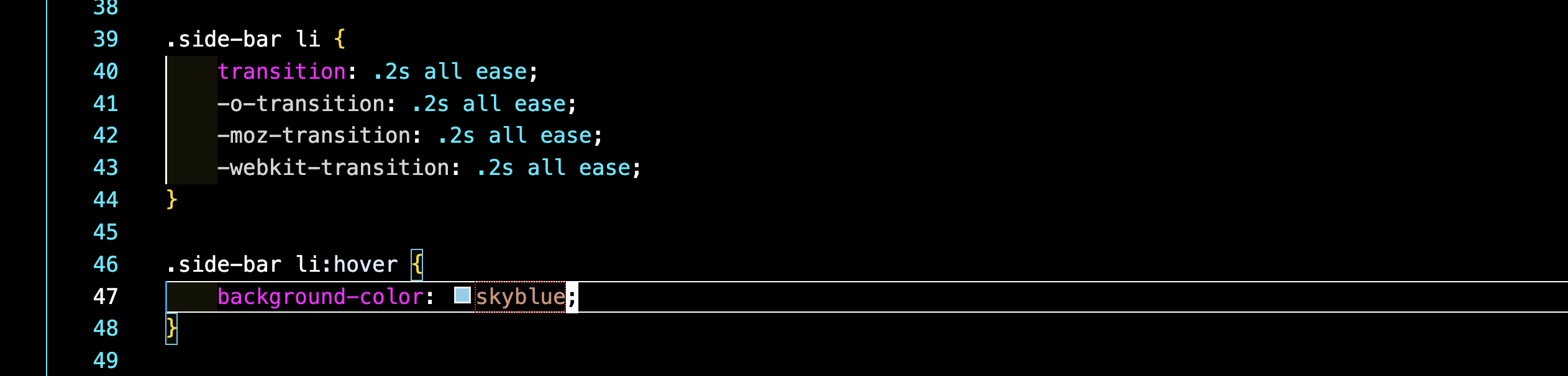
The most important rule when writing prefixes by hand is to always list the standard property last. CSS reads top-to-bottom, so the last line (the standard one) will be used by any browser that understands it, while older browsers will use the prefixed versions they recognize.
.my-element {
        -webkit-property-name: value;
        -moz-property-name: value;
        -ms-property-name: value;
        -o-property-name: value;
        property-name: value; /* Standard property always last */
    }
Specific Properties That May Need Prefixes
Here are the properties where prefixes still appear in modern development, often for text effects, form controls, and specific browser quirks.
| Property | Common Prefix(es) | Context / When Needed |
|---|---|---|
| Text & Appearance | ||
appearance |
-webkit-appearance, -moz-appearance |
For styling form elements (none is very common) or making div elements behave like buttons. |
user-select |
-webkit-user-select, -moz-user-select, -ms-user-select |
To control if text can be selected. Still useful for UI elements. |
text-size-adjust |
-webkit-text-size-adjust, -moz-text-size-adjust, -ms-text-size-adjust |
To prevent browsers from automatically inflating text on mobile screens. |
-webkit-text-fill-color |
-webkit-text-fill-color |
A WebKit-specific property often used with background-clip: text for gradient text effects. |
| Gradients & Backgrounds | ||
background-clip: text |
-webkit-background-clip: text |
The text value for background-clip is not universally supported without the -webkit- prefix. |
linear-gradient() / radial-gradient() |
-webkit-linear-gradient(), -webkit-radial-gradient() |
Extremely old browsers (like very old Android) might need the prefixed function syntax. |
| Flexbox & Grid (Legacy) | ||
flex property and related properties (e.g., justify-content) |
-webkit- prefixes for many flexbox properties (e.g., -webkit-flex, -webkit-justify-content) |
Modern browsers support unprefixed flexbox. However, old browsers (e.g., Safari 8 or below, old iOS) require -webkit- prefixes. |
box-flex (old Flexbox spec) |
-webkit-box-flex, -moz-box-flex |
An extremely old 2009 Flexbox syntax. You might encounter it in very old codebases. |
| Transitions, Transforms & Animations | ||
transform |
-webkit-transform, -moz-transform, -ms-transform, -o-transform |
All modern browsers support the unprefixed version. Prefixes are for very old browsers (e.g., Safari on old iOS, IE9). |
transition |
-webkit-transition, -moz-transition, -o-transition |
All modern browsers support the unprefixed version. |
@keyframes |
@-webkit-keyframes |
Needed for very old browsers like Safari on older iOS. |
animation and related properties |
-webkit-animation, etc. |
Same as above; prefixes are for very old WebKit-based browsers. |
| Other / Media Queries | ||
::placeholder pseudo-element |
::-webkit-input-placeholder, ::-moz-placeholder, :-ms-input-placeholder |
For legacy browser support. Modern browsers support :placeholder-shown and the ::placeholder pseudo-element, but older ones need these specific selectors. |
-webkit-device-pixel-ratio |
-webkit-device-pixel-ratio |
Used in media queries for detecting high-resolution screens (e.g., @media (-webkit-min-device-pixel-ratio: 2)). This is a legacy alternative to the standard resolution. |
The Smart Approach: Automate with Tools
Manually tracking which properties need prefixes is tedious and error-prone. The recommended workflow for any serious project is to use a build tool.
- Use a Build Tool: Most modern frameworks (like Vite, Next.js, or ones created with
create-react-app) include this setup by default. - Integrate PostCSS and Autoprefixer: These tools automatically add or remove prefixes based on your project’s target browser support.
- Configure
browserslist: You define which browsers you need to support in yourpackage.jsonfile. For example:
{
      "browserslist": [
        "> 0.2%",
        "not dead",
        "not op_mini all"
      ]
    }
With this, you only write clean, standard CSS. The tooling handles the rest, ensuring your styles work across your specified browsers without you needing to memorize a single prefix.
Categorised in: Blog
This post was written by amax
Comments are closed here.